How the LED strip is connected to the power supply largely determines how well the LEDs work. LEDs typically operate on 12V or 24V low voltage and generally require a power supply that converts the mains voltage to a suitable level for them. In this section, we’ll go over how to connect an LED strip to a power supply.
LED Strip Labeling
Let’s look at a few examples of connections to help clarify the process. Connecting 12V/24V low-voltage power to single-color (white) LED strips is straightforward.
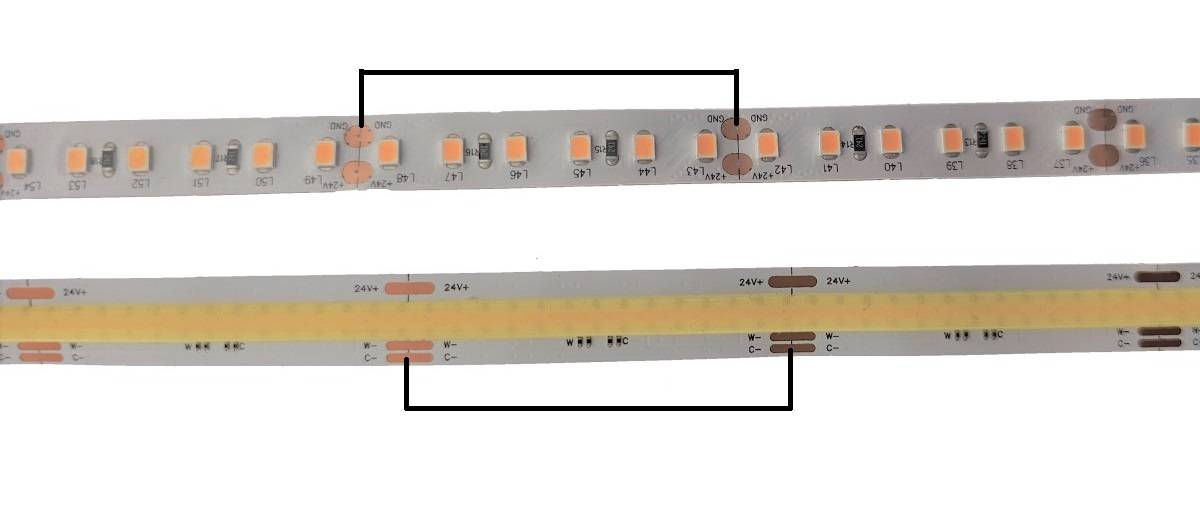
Look for markings on the LED strip that indicate + and - / GND / Ground. These markings are always located at the cut points.
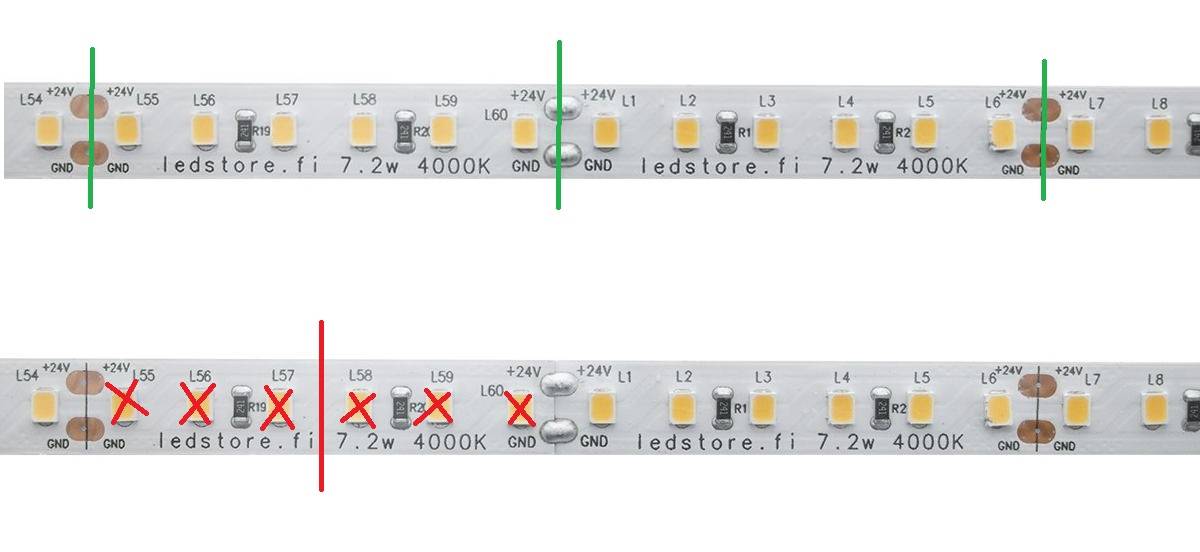
Typically, + is red and - is black, but sometimes both wires may be white; in that case, one will have a line running down it to distinguish it from the other. Sometimes an LED strip may also have a brown (+) and a blue (-)
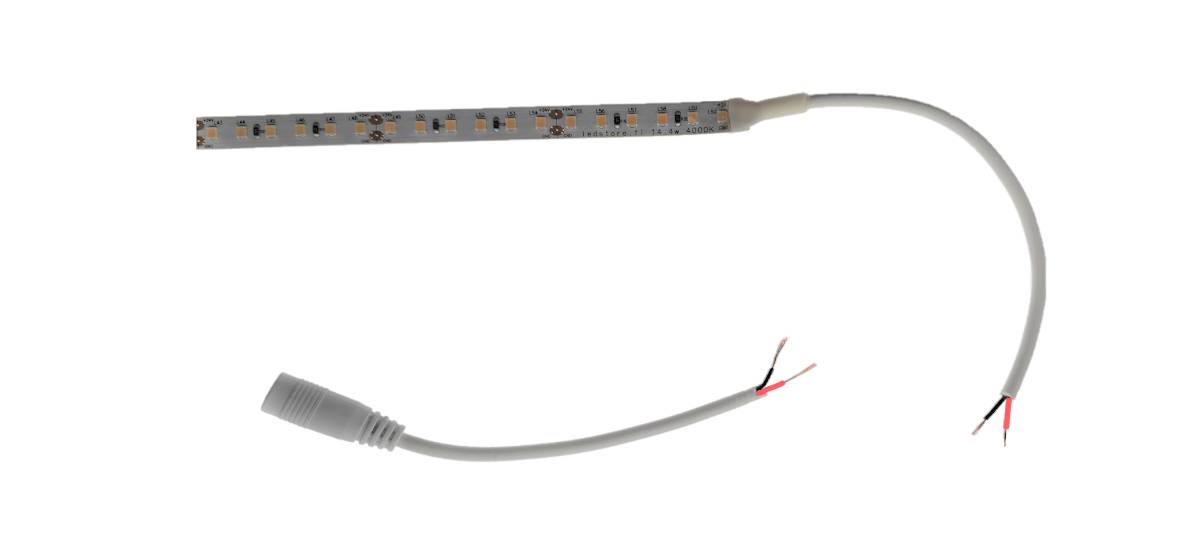
If the LED strip has a typical 5.5 mm DC connector (barrel plug), the center of the connector is + and the outer edge is -.
Connecting the LED strip to a power supply
Always remember to uncoil the entire reel or roll before connecting it to the power supply and turning on the power to the strip. This prevents the strip from overheating and avoids potential damage, even over a short period of time. Connecting a standard low-current LED strip to a power supply is easy. Simply locate the + and - markings and connect the wires to the LED + and LED - terminals on the power supply. If the transformer comes with a power cord and plug already attached, the consumer can easily and safely plug it into an outlet. If the power supply unit does not have a pre-wired plug, a professional installer must perform the permanent connection to the mains. Among LedStore’s LED strip models, the 230V mains-powered strip includes a pre-wired plug cord that allows it to be safely plugged into an outlet. This strip model does not include a separate transformer or power supply. 230V installations and modifications to 230V strips constitute electrical work and require appropriate qualifications.
Connecting the strip to a transformer with a round 5.5 mm DC connector
If the LED strip has the same type of connector as the transformer, simply plug them together (male-female). If the LED strip has only two wires, you’ll need one of the following to connect it:
- A screw-type male DC connector or
- Cut off the transformer’s connector and strip the transformer’s wires. After cutting off the transformer’s connector, you’ll see the same wire colors as we went over earlier. Connect the wires to the strip using spade connectors, apico connectors, or a sugar cube.
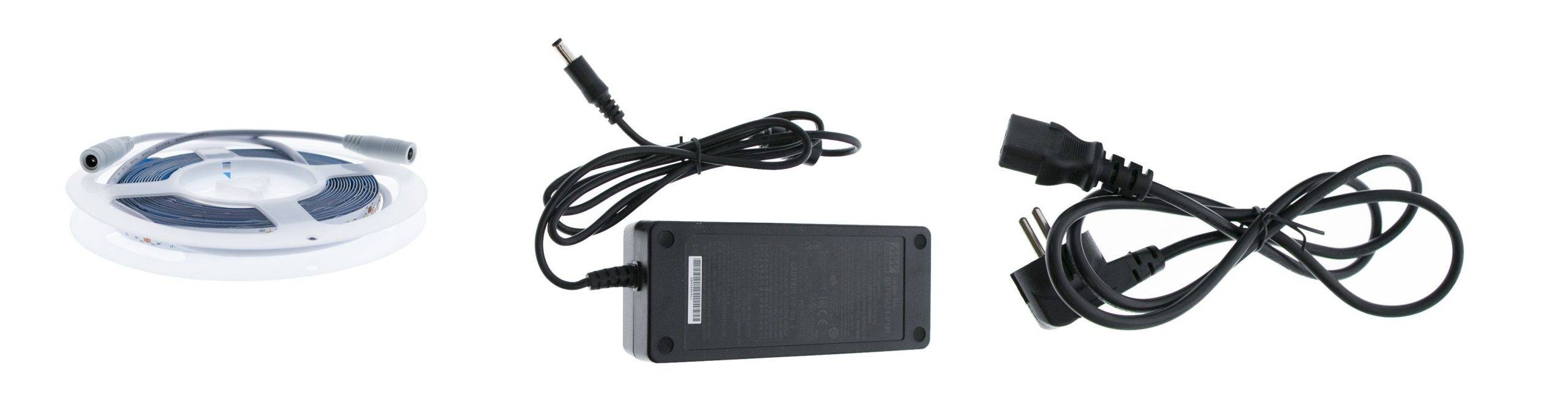
Plug the transformer into the wall, and the lights will turn on. Do not leave the LED strip on while it is still on the roll, as it can easily overheat, which may shorten its lifespan or cause the mounting tape to melt.
Connecting to an IP21 transformer with screw or quick-connect terminals
Connect the power supply to the transformer using a plug-in cord connected to the L and N terminals. To connect the LED strip to the low-voltage side of the transformer, read the markings on the top of the transformer, which should indicate the + and - terminals. Under the transformer cover, you may find, for example, push-in or screw terminals:
- Press down on the quick-connect terminal with your thumb or a screwdriver to open it, then slide the wire into place. The wires will lock into place when you release the terminal.
- Unscrew the connectors, insert the stripped wires, and tighten the screws (see image below).
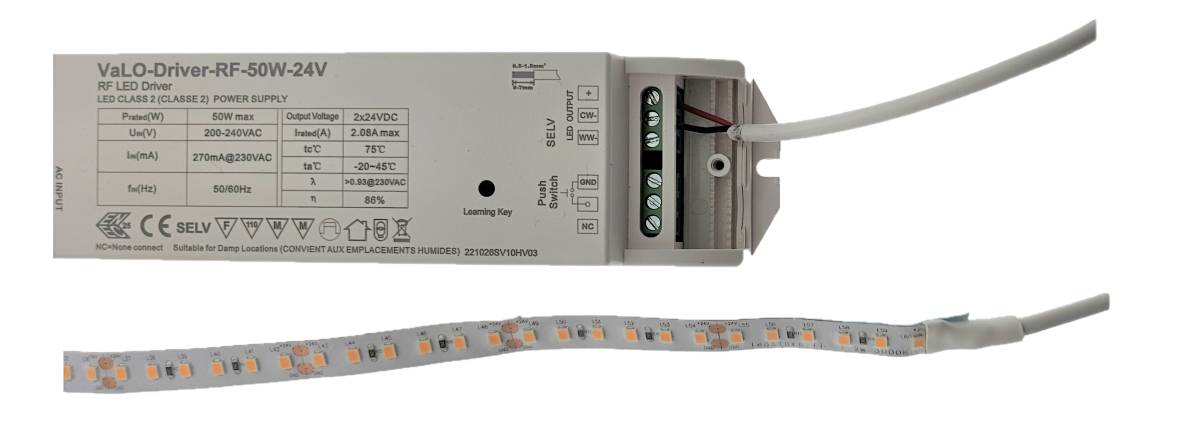
Test by tugging on the wires to ensure they are securely in place. Plug the power cord into the wall outlet, and the lights will turn on.
Connecting a CCT strip to an LED transformer
These transformers almost always have screw terminals or quick connectors, but a CCT (color temperature-adjustable) LED strip has three (3) wires:
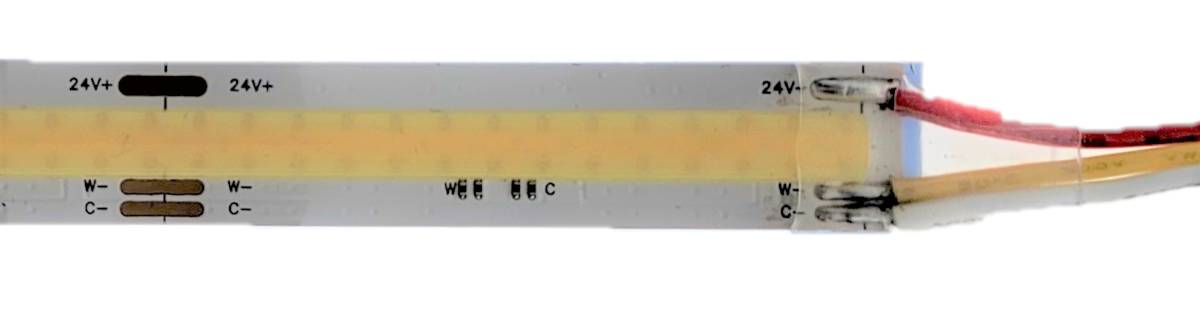
+, warm (WW), and cool (CW)
To connect the strip, read the markings on the power supply, which should show the +, WW, and CW terminals. Sometimes WW and CW are labeled -1 and -2.
- Connecting the + (positive) wire to the correct terminal is the most important step.
- If WW and CW are connected to the wrong terminals—that is, warm to cold and vice versa—it is not dangerous. The only drawback is that the light won’t adjust properly using the dimmer switch. If you notice a problem with the dimming, simply swap the positions of these two wires (WW and CW).
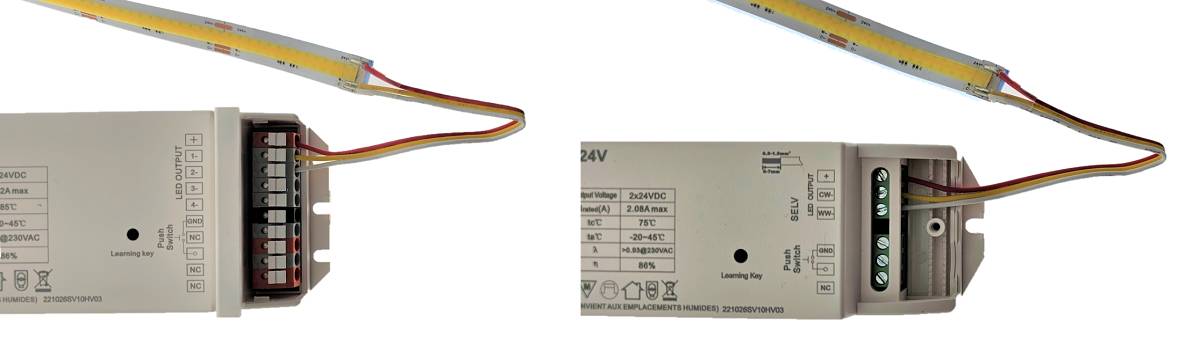
Test again by gently tugging on the wires to make sure they’re securely in place on the low-current end. Plug the power cord into the wall, and the lights should turn on.
Connecting an RGB+W LED strip to the power supply
Connecting the strip to the power supply in an RGB+W product is almost always done using the screw terminals or quick-connect terminals on the low-voltage side of the power supply or receiver. When connecting to the mains, the instructions remain the same: either use a ready-made plug in the wall or have an electrician perform a permanent installation. The receiver only has a low-voltage connection.
At this stage, the LED strip will have 4 or 5 wires if you’re working with a color-adjustable LED strip. Four wires indicate RGB without white light, and five wires indicate that the LED strip is RGB+W, meaning it has a separate white light. Below are the most commonly used wire colors, where black is the positive and the others are negative.
- + = black
- R(ed) = red
- G(reen) = green
- B(lue) = blue
- W(hite) = white
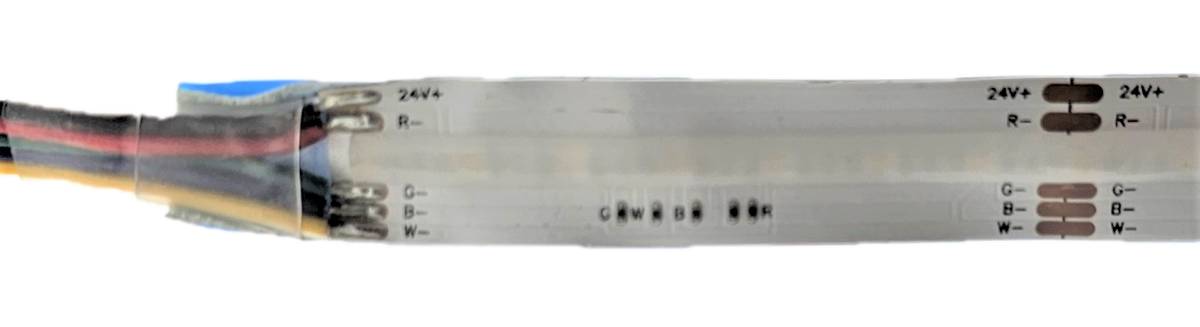
To connect the strip, read the markings on the power adapter, which should show + and R, G, B, W. Sometimes they’re labeled -1, -2, -3, and -4 in that order.
- Connecting the + wire to the correct terminal is the most important step
- If the colors light up in the wrong terminals—for example, red lights up as green—just swap the positions of the colored wires. The strip won’t break from an incorrect connection, but if the positive and negative wires are reversed, it won’t light up.
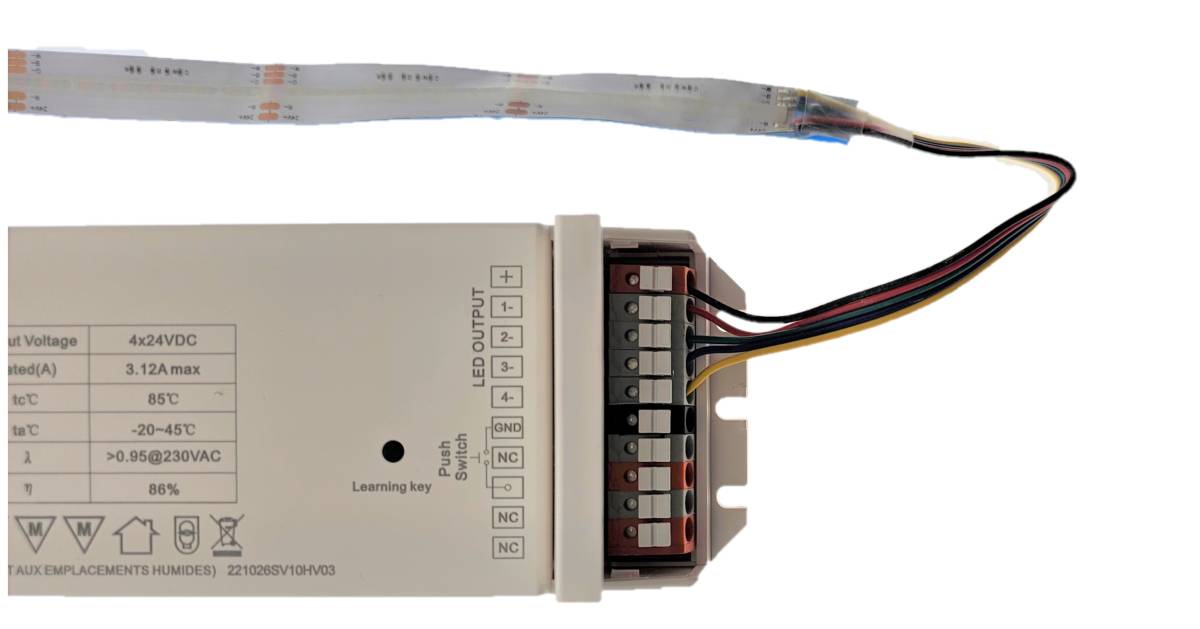
Test again by giving the wires a gentle tug to make sure they’re securely in place. Plug the power cord into the wall, and the lights will turn on. A separate controller is required to dim the RGB strip and adjust the color.
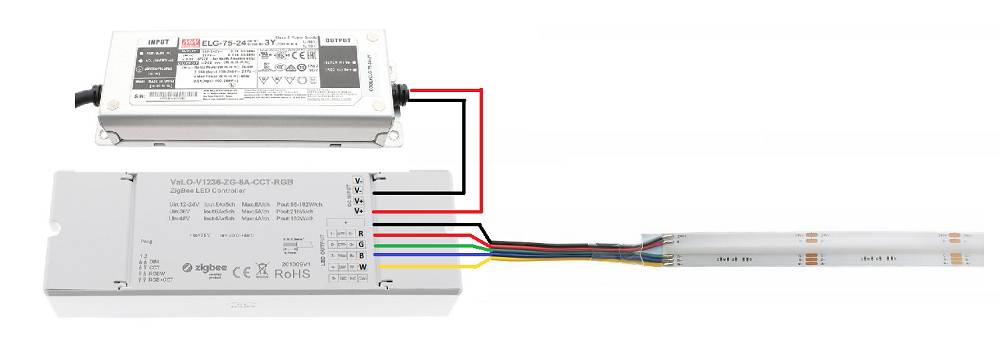
LED power supply + control unit (RGB or CCT)
In these cases, connect the power supply directly to the control unit’s INPUT + and – terminals, and connect the LED strip to the appropriate terminals marked OUTPUT RGBW or CCT.
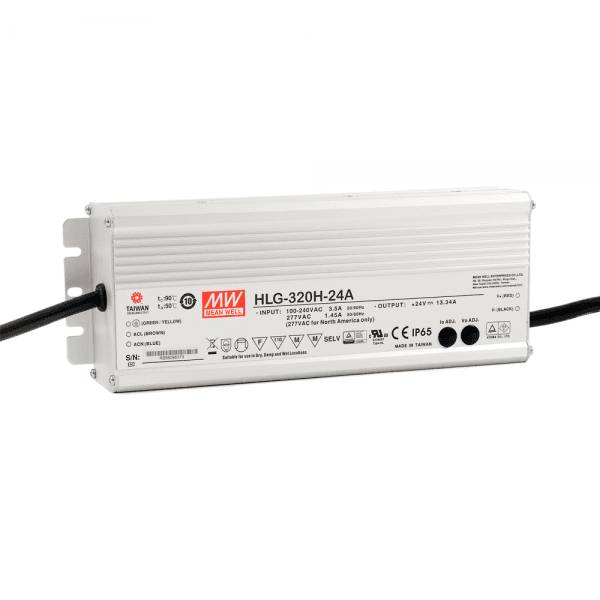
Connecting an IP65 LED power supply with only wires and no connectors
These power supplies are intended for permanent mains power installation, which constitutes electrical work. They have clear markings, and following these ensures a safe installation. Consumers can install low-voltage LED strips themselves, provided they purchase the appropriate connectors. However, for waterproof (IP65) installations, greater precision is required than usual, so it is advisable for an installer to take responsibility for the connections at both ends and for ensuring that any joints are enclosed in waterproof housings.
Use and Maintenance of LED Strip Lights
Using LED strip lights is very easy, and they offer versatile lighting options. Maintenance mainly involves cleaning the strip of dust and dirt. It is important to remember that LED light strips must not be exposed to water unless they are specifically designed for damp environments. LED light strips should always be installed in an aluminum profile unless they are so-called “NEON” strips.
LED Strip Light Installation Guides
- Cutting an LED Strip Light - Cutting an LED Strip Light and Replacing a Section of the Strip
- LED strip light won’t turn on—Why won’t the LED strip light turn on? We’ll go through the reasons
- LED strip is flickering - Why is the LED strip flickering? There are many reasons, and we’ll go through them all.
- LED strip lifespan—What affects the lifespan, and why do some strips last longer?
- Mounting an LED strip – How do I mount an LED strip indoors or outdoors? What should I keep in mind?
- Extending an LED light strip—How do I solder the connections? A brief soldering guide for beginners.
- Parallel connection of LED strip lights—What does a parallel connection mean, and how is it done with LED strip lights?
- How the LED Strip’s Profile Affects the Light – How do the profile’s height and cover affect the light?
LED Strip Light Expert
LedStore has been an expert in LED lighting and lighting design since 2010. We have our own product design team, so our products are technically top-notch. Our products come with warranties of up to 7 years. We also provide lighting maintenance services.
We focus on temperature-adjustable and high-color-rendering fixtures, so our lights perform brilliantly and last a long time. We complete approximately 500 lighting design projects for our customers’ properties each year. Read more here or order a design. Did you know? LedStore offers lighting design starting at 169 euros for your entire home!
Custom LED Strip Lights
We offer custom-made LED strips as a service—that is, LED strips in aluminum profiles tailored to your exact measurements. Installation is also available.
Remember, we’re here to support you every step of the way via email (myynti@ledstore.fi) and by phone (045 251 4510). Feel free to share photos of your own projects on social media using #ledstorefi on Instagram and #ledstorefinland on Facebook. We love seeing the amazing things people create with our LEDs, and it helps inspire those who aren’t yet convinced of the power and awesomeness of LEDs.
Did you know that we already have over 3,500 photos of installations made with our LEDs in our Gallery!